Showing posts with label Swing. Show all posts

Thursday, April 11, 2013

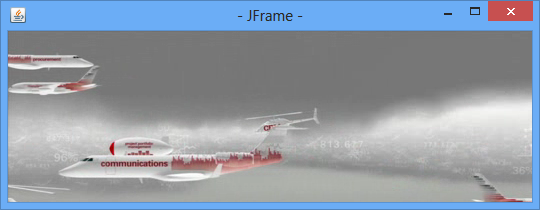
Embed JavaFX inside Swing JFrame

This example demonstrate how to embed JavaFX components (example of MediaPlay) in Swing JFrame.

Embed JavaFX MediaPlayer inside Swing JFrame


package javafx_insidejframe;

import javafx.application.Platform;
import javafx.embed.swing.JFXPanel;
import javafx.scene.Group;
import javafx.scene.Scene;
import javafx.scene.media.Media;
import javafx.scene.media.MediaPlayer;
import javafx.scene.media.MediaView;
import javax.swing.JFrame;
import javax.swing.SwingUtilities;

/**
* @web http://java-buddy.blogspot.com/
*/
public class JavaFX_insideJFrame{

private static final String MEDIA_URL = "http://download.oracle.com/otndocs/products/javafx/oow2010-2.flv";

private static void initFxLater(JFXPanel panel){
Group root = new Group();
Scene scene = new Scene(root, 540, 210);

// create media player
Media media = new Media(MEDIA_URL);
MediaPlayer mediaPlayer = new MediaPlayer(media);
mediaPlayer.setAutoPlay(true);

// create mediaView and add media player to the viewer
MediaView mediaView = new MediaView(mediaPlayer);
((Group)scene.getRoot()).getChildren().add(mediaView);

panel.setScene(scene);
}

private static void initSwingLater(){
JFrame jFrame = new JFrame("- JFrame -");
jFrame.setSize(540, 210);
jFrame.setVisible(true);
jFrame.setDefaultCloseOperation(JFrame.EXIT_ON_CLOSE);

final JFXPanel jFXPanel = new JFXPanel();
jFrame.add(jFXPanel);

Platform.runLater(new Runnable(){

@Override
public void run() {
initFxLater(jFXPanel);
}
});

}

public static void main(String[] args) {
SwingUtilities.invokeLater(new Runnable() {

@Override
public void run() {
initSwingLater();
}

});
}
}


Wednesday, February 20, 2013

JTabbedPane with icon

Tabbed panel with icon


package javajframeapplication;

import java.awt.BorderLayout;
import java.awt.GridLayout;
import java.awt.event.ActionEvent;
import java.awt.event.ActionListener;
import java.net.URL;
import javax.swing.ImageIcon;
import javax.swing.JButton;
import javax.swing.JFrame;
import javax.swing.JLabel;
import javax.swing.JPanel;
import javax.swing.JTabbedPane;
import javax.swing.SwingUtilities;

/**
*
* @web http://java-buddy.blogspot.com/
*/
public class JavaJFrameApplication {

static public class MyTabJPanel extends JPanel {

public MyTabJPanel(){
super(new GridLayout(1, 1));

JTabbedPane jTabbedPane = new JTabbedPane();

JPanel jPaneA = new JPanel();
JLabel jLabelA = new JLabel("It's Tab A");
jPaneA.add(jLabelA);
URL imageUrl = JavaJFrameApplication.class.getResource("duke_20x36.png");
ImageIcon imageIconA = new ImageIcon(imageUrl);

JPanel jPaneB = new JPanel();
JButton jButton = new JButton("Button in Tab B");
jPaneB.add(jButton);

JPanel jPaneC = new JPanel();
JButton buttonExit = new JButton("Exit button on Tab C");
buttonExit.addActionListener(new ActionListener(){

@Override
public void actionPerformed(ActionEvent e) {
System.exit(0);
}

});
jPaneC.add(buttonExit);

jTabbedPane.addTab("Tab A", imageIconA, jPaneA);
jTabbedPane.addTab("Tab B", jPaneB);
jTabbedPane.addTab("Tab C", jPaneC);

add(jTabbedPane);
}

}

public static void main(String[] args) {

SwingUtilities.invokeLater(new Runnable(){

@Override
public void run() {
JFrame mainJFrame = new JFrame();
mainJFrame.setDefaultCloseOperation(JFrame.EXIT_ON_CLOSE);
mainJFrame.setTitle("java-buddy.blogspot.com");
mainJFrame.setSize(400, 300);

MyTabJPanel myTabJPanel = new MyTabJPanel();
mainJFrame.add(myTabJPanel, BorderLayout.CENTER);
mainJFrame.setVisible(true);
}
});
}
}


Implement tabbed panel using JTabbedPane

Example to implement tabbed panel using JTabbedPane.

JTabbedPane
JTabbedPane


package javajframeapplication;

import java.awt.BorderLayout;
import java.awt.GridLayout;
import java.awt.event.ActionEvent;
import java.awt.event.ActionListener;
import javax.swing.JButton;
import javax.swing.JFrame;
import javax.swing.JLabel;
import javax.swing.JPanel;
import javax.swing.JTabbedPane;
import javax.swing.SwingUtilities;

/**
*
* @web http://java-buddy.blogspot.com/
*/
public class JavaJFrameApplication {

static public class MyTabJPanel extends JPanel {

public MyTabJPanel(){
super(new GridLayout(1, 1));

JTabbedPane jTabbedPane = new JTabbedPane();

JPanel jPaneA = new JPanel();
JLabel jLabelA = new JLabel("It's Tab A");
jPaneA.add(jLabelA);

JPanel jPaneB = new JPanel();
JButton jButton = new JButton("Button in Tab B");
jPaneB.add(jButton);

JPanel jPaneC = new JPanel();
JButton buttonExit = new JButton("Exit button on Tab C");
buttonExit.addActionListener(new ActionListener(){

@Override
public void actionPerformed(ActionEvent e) {
System.exit(0);
}

});
jPaneC.add(buttonExit);

jTabbedPane.addTab("Tab A", jPaneA);
jTabbedPane.addTab("Tab B", jPaneB);
jTabbedPane.addTab("Tab C", jPaneC);

add(jTabbedPane);
}

}

public static void main(String[] args) {

SwingUtilities.invokeLater(new Runnable(){

@Override
public void run() {
JFrame mainJFrame = new JFrame();
mainJFrame.setDefaultCloseOperation(JFrame.EXIT_ON_CLOSE);
mainJFrame.setTitle("java-buddy.blogspot.com");
mainJFrame.setSize(400, 300);

MyTabJPanel myTabJPanel = new MyTabJPanel();
mainJFrame.add(myTabJPanel, BorderLayout.CENTER);
mainJFrame.setVisible(true);
}
});
}
}


Sunday, February 10, 2013

Create GUI application, by instantiating non-static inner class of JFrame.

Last article demonstrate "Create GUI application, by instantiating static inner class of JFrame". If the inner class is declared as non-static, it cannot be accessed directly in main(). You can instantiate the outer class in main(), and then instantiate the inner class in constructor.

package javajframeapplication;

import java.awt.event.ActionEvent;
import java.awt.event.ActionListener;
import javax.swing.JButton;
import javax.swing.JFrame;
import javax.swing.SwingUtilities;

/**
*
* @web http://java-buddy.blogspot.com/
*/
public class JavaJFrameApplication {

private class InnerJFrame extends JFrame{

public InnerJFrame(){
this.setTitle("non-static inner JFrame");
this.setSize(300, 200);
this.setDefaultCloseOperation(JFrame.EXIT_ON_CLOSE);

JButton buttonExit = new JButton("Exit");
buttonExit.addActionListener(new ActionListener(){
@Override
public void actionPerformed(ActionEvent e) {
System.exit(0);
}
});

this.add(buttonExit);
}

}

JavaJFrameApplication(){
InnerJFrame myInnerJFrame = new InnerJFrame();
myInnerJFrame.setVisible(true);
}

public static void main(String[] args) {

SwingUtilities.invokeLater(new Runnable(){

@Override
public void run() {

JavaJFrameApplication myJavaJFrameApplication =
new JavaJFrameApplication();
}
});
}
}


GUI application, by instantiating non-static inner class of JFrame.


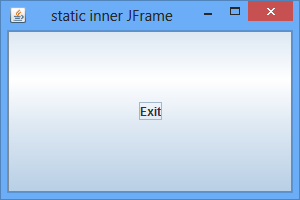
Create GUI application, by instantiating static inner class of JFrame.

Last article demonstrate how to "Create GUI application, by instantiating outer class of JFrame". Alternatively, we can code the extended JFrame as inner class, named InnerJFrame.


package javajframeapplication;

import java.awt.event.ActionEvent;
import java.awt.event.ActionListener;
import javax.swing.JButton;
import javax.swing.JFrame;
import javax.swing.SwingUtilities;

/**
*
* @web http://java-buddy.blogspot.com/
*/
public class JavaJFrameApplication {

static private class InnerJFrame extends JFrame{

public InnerJFrame(){
this.setTitle("static inner JFrame");
this.setSize(300, 200);
this.setDefaultCloseOperation(JFrame.EXIT_ON_CLOSE);

JButton buttonExit = new JButton("Exit");
buttonExit.addActionListener(new ActionListener(){
@Override
public void actionPerformed(ActionEvent e) {
System.exit(0);
}
});

this.add(buttonExit);
}

}

public static void main(String[] args) {

SwingUtilities.invokeLater(new Runnable(){

@Override
public void run() {

InnerJFrame myInnerJFrame = new InnerJFrame();
myInnerJFrame.setVisible(true);
}
});
}
}


Please notice that InnerJFrame have to be declared static in this implementation, otherwise error of "non-static variable this cannot be referenced from a static context" will be complained. It's because instance of non-static inner class(InnerJFrame) can exist only within an instance of outer class(JavaJFrameApplication). At the time of main() run, object of JavaJFrameApplication have not been instantiated.

If you prefer declare the inner class as non-static, read the article "Create GUI application, by instantiating non-static inner class of JFrame".

Create GUI application, by instantiating outer class of JFrame.

This example demonstrate how to create GUI for Java Application, by instantiating outer class of JFrame.

GUI for Java Application

Create a class OuterJFrame.java, extends JFrame.
package javajframeapplication;

import java.awt.event.ActionEvent;
import java.awt.event.ActionListener;
import javax.swing.JButton;
import javax.swing.JFrame;

public class OuterJFrame extends JFrame{

public OuterJFrame(){
this.setTitle("Java-Buddy");
this.setSize(300, 200);
this.setDefaultCloseOperation(JFrame.EXIT_ON_CLOSE);

JButton buttonExit = new JButton("Exit");
buttonExit.addActionListener(new ActionListener(){
@Override
public void actionPerformed(ActionEvent e) {
System.exit(0);
}
});

this.add(buttonExit);
}
}


Modify main class, instantiate OuterJFrame class in main() method.
package javajframeapplication;

import javax.swing.SwingUtilities;

/**
*
* @web http://java-buddy.blogspot.com/
*/
public class JavaJFrameApplication {

public static void main(String[] args) {

SwingUtilities.invokeLater(new Runnable(){

@Override
public void run() {

OuterJFrame myOuterJFrame = new OuterJFrame();
myOuterJFrame.setVisible(true);
}
});
}
}


We can also implement our custom JFrame as inner class. Refer:


Saturday, December 1, 2012

Translate and scale with AffineTransform

Translate and scale with AffineTransform


package javaswing;

import java.awt.Graphics;
import java.awt.Graphics2D;
import java.awt.Image;
import java.awt.geom.AffineTransform;
import java.io.IOException;
import java.util.logging.Level;
import java.util.logging.Logger;
import javax.imageio.ImageIO;
import javax.swing.JComponent;
import javax.swing.JFrame;
import javax.swing.SwingUtilities;

/**
*
* @web http://java-buddy.blogspot.com/
*/
public class JavaTestSwing {

static JFrameWin jFrameWindow;

public static class MyComponent extends JComponent{

@Override
protected void paintComponent(Graphics g) {
try {
//prepare a original Image source
Image image = ImageIO.read(this.getClass().getResource("duke.png"));

int w = image.getWidth(null);
int h = image.getHeight(null);
g.drawImage(image, 0, 0, w, h, null);

//translate and scale with AffineTransform
AffineTransform affineTransform = new AffineTransform();
affineTransform.translate(0, h);
Double sx = 2.0;
Double sy = 2.0;
affineTransform.scale(sx, sy);
((Graphics2D)g).drawImage(image, affineTransform, null);

} catch (IOException ex) {
Logger.getLogger(JavaTestSwing.class.getName()).log(Level.SEVERE, null, ex);
}

}
}

public static class JFrameWin extends JFrame{
public JFrameWin(){
this.setTitle("java-buddy.blogspot.com");
this.setSize(300, 300);
this.setDefaultCloseOperation(JFrame.EXIT_ON_CLOSE);

MyComponent myComponent = new MyComponent();
this.add(myComponent);
}
}

public static void main(String[] args){
Runnable doSwingLater = new Runnable(){

@Override
public void run() {
jFrameWindow = new JFrameWin();
jFrameWindow.setVisible(true);
}
};

SwingUtilities.invokeLater(doSwingLater);

}

}


Draw Image on translated and scaled Graphics

Draw Image on translated and scaled Graphics


package javaswing;

import java.awt.Graphics;
import java.awt.Graphics2D;
import java.awt.Image;
import java.io.IOException;
import java.util.logging.Level;
import java.util.logging.Logger;
import javax.imageio.ImageIO;
import javax.swing.JComponent;
import javax.swing.JFrame;
import javax.swing.SwingUtilities;

/**
*
* @web http://java-buddy.blogspot.com/
*/
public class JavaTestSwing {

static JFrameWin jFrameWindow;

public static class MyComponent extends JComponent{

@Override
protected void paintComponent(Graphics g) {
try {
//prepare a original Image source
Image image = ImageIO.read(this.getClass().getResource("duke.png"));

int w = image.getWidth(null);
int h = image.getHeight(null);
g.drawImage(image, 0, 0, w, h, null);

//translate and scale
g.translate(0, h);
Double sx = 2.0;
Double sy = 2.0;
((Graphics2D)g).scale(sx, sy);
g.drawImage(image, 0, 0, null);

} catch (IOException ex) {
Logger.getLogger(JavaTestSwing.class.getName()).log(Level.SEVERE, null, ex);
}

}
}

public static class JFrameWin extends JFrame{
public JFrameWin(){
this.setTitle("java-buddy.blogspot.com");
this.setSize(300, 300);
this.setDefaultCloseOperation(JFrame.EXIT_ON_CLOSE);

MyComponent myComponent = new MyComponent();
this.add(myComponent);
}
}

public static void main(String[] args){
Runnable doSwingLater = new Runnable(){

@Override
public void run() {
jFrameWindow = new JFrameWin();
jFrameWindow.setVisible(true);
}
};

SwingUtilities.invokeLater(doSwingLater);

}

}


Thursday, November 29, 2012

Draw partial scaled image using Graphics.drawImage()

Last post demonstrate a simple way to draw scaled image using Graphics.drawImage(Image img, int x, int y, int width, int height, ImageObserver observer) method. We can also use drawImage(Image img, int dx1, int dy1, int dx2, int dy2, int sx1, int sy1, int sx2, int sy2, ImageObserver observer) method to draw part of the image.

drawImage(Image img, int dx1, int dy1, int dx2, int dy2, int sx1, int sy1, int sx2, int sy2, ImageObserver observer)

Where:
img - the specified image to be drawn. This method does nothing if img is null.
dx1 - the x coordinate of the first corner of the destination rectangle.
dy1 - the y coordinate of the first corner of the destination rectangle.
dx2 - the x coordinate of the second corner of the destination rectangle.
dy2 - the y coordinate of the second corner of the destination rectangle.
sx1 - the x coordinate of the first corner of the source rectangle.
sy1 - the y coordinate of the first corner of the source rectangle.
sx2 - the x coordinate of the second corner of the source rectangle.
sy2 - the y coordinate of the second corner of the source rectangle.
observer - object to be notified as more of the image is scaled and converted.

Draw partial scaled image using Graphics.drawImage()


package javaswing;

import java.awt.Graphics;
import java.awt.Image;
import java.io.IOException;
import java.util.logging.Level;
import java.util.logging.Logger;
import javax.imageio.ImageIO;
import javax.swing.JComponent;
import javax.swing.JFrame;
import javax.swing.SwingUtilities;

/**
*
* @web http://java-buddy.blogspot.com/
*/
public class JavaTestSwing {

static JFrameWin jFrameWindow;

public static class MyComponent extends JComponent{

@Override
protected void paintComponent(Graphics g) {
try {
//prepare a original Image source
Image image = ImageIO.read(this.getClass().getResource("duke.png"));

int w = image.getWidth(null);
int h = image.getHeight(null);
g.drawImage(image, 0, 0, w, h, null);

g.drawImage(image,
0, //dx1
h, //dy1
w, //dx2
h + h, //dy2
0, //sx1
0, //sy1
w/2, //sx2
h/2, //sy2
null); //ImageObserver

} catch (IOException ex) {
Logger.getLogger(JavaTestSwing.class.getName()).log(Level.SEVERE, null, ex);
}

}
}

public static class JFrameWin extends JFrame{
public JFrameWin(){
this.setTitle("java-buddy.blogspot.com");
this.setSize(300, 300);
this.setDefaultCloseOperation(JFrame.EXIT_ON_CLOSE);

MyComponent myComponent = new MyComponent();
this.add(myComponent);
}
}

public static void main(String[] args){
Runnable doSwingLater = new Runnable(){

@Override
public void run() {
jFrameWindow = new JFrameWin();
jFrameWindow.setVisible(true);
}
};

SwingUtilities.invokeLater(doSwingLater);

}

}


Draw scaled image using Graphics.drawImage()

Draw scaled image using Graphics.drawImage()


package javaswing;

import java.awt.Graphics;
import java.awt.Image;
import java.io.IOException;
import java.util.logging.Level;
import java.util.logging.Logger;
import javax.imageio.ImageIO;
import javax.swing.JComponent;
import javax.swing.JFrame;
import javax.swing.SwingUtilities;

/**
*
* @web http://java-buddy.blogspot.com/
*/
public class JavaTestSwing {

static JFrameWin jFrameWindow;

public static class MyComponent extends JComponent{

@Override
protected void paintComponent(Graphics g) {
try {
//prepare a original Image source
Image image = ImageIO.read(this.getClass().getResource("duke.png"));

int w = image.getWidth(null);
int h = image.getHeight(null);
g.drawImage(image, 0, 0, w, h, null);

int scale = 2;
g.drawImage(image, 0, h, w*scale, h*scale, null);

} catch (IOException ex) {
Logger.getLogger(JavaTestSwing.class.getName()).log(Level.SEVERE, null, ex);
}

}
}

public static class JFrameWin extends JFrame{
public JFrameWin(){
this.setTitle("java-buddy.blogspot.com");
this.setSize(300, 300);
this.setDefaultCloseOperation(JFrame.EXIT_ON_CLOSE);

MyComponent myComponent = new MyComponent();
this.add(myComponent);
}
}

public static void main(String[] args){
Runnable doSwingLater = new Runnable(){

@Override
public void run() {
jFrameWindow = new JFrameWin();
jFrameWindow.setVisible(true);
}
};

SwingUtilities.invokeLater(doSwingLater);

}

}


We can also call drawImage(Image img, int dx1, int dy1, int dx2, int dy2, int sx1, int sy1, int sx2, int sy2, ImageObserver observer) method to draw part of the image.

Wednesday, November 28, 2012

Example of using createCompatibleImage()

Example of using createCompatibleImage() method to create Compatible BufferedImage and Translucent Compatible BufferedImage.

Example of using createCompatibleImage()


package javaswing;

import java.awt.Graphics;
import java.awt.GraphicsConfiguration;
import java.awt.GraphicsEnvironment;
import java.awt.Image;
import java.awt.Transparency;
import java.awt.image.BufferedImage;
import java.io.IOException;
import java.util.logging.Level;
import java.util.logging.Logger;
import javax.imageio.ImageIO;
import javax.swing.JComponent;
import javax.swing.JFrame;
import javax.swing.SwingUtilities;

/**
*
* @web http://java-buddy.blogspot.com/
*/
public class JavaTestSwing {

static JFrameWin jFrameWindow;

public static class MyComponent extends JComponent{

@Override
protected void paintComponent(Graphics g) {
try {
//prepare a original Image source
Image image = ImageIO.read(this.getClass().getResource("duke.png"));

//Get current GraphicsConfiguration
GraphicsConfiguration graphicsConfiguration
= GraphicsEnvironment
.getLocalGraphicsEnvironment()
.getDefaultScreenDevice()
.getDefaultConfiguration();

//Create a Compatible BufferedImage
BufferedImage bufferedImage
= graphicsConfiguration.createCompatibleImage(
image.getWidth(null),
image.getHeight(null));
//Copy from original Image to new Compatible BufferedImage
Graphics tempGraphics = bufferedImage.getGraphics();
tempGraphics.drawImage(image, 0, 0, null);
tempGraphics.dispose();

//Create a Compatible BufferedImage for translucent image
BufferedImage bufferedImage_translucent
= graphicsConfiguration.createCompatibleImage(
image.getWidth(null),
image.getHeight(null),
Transparency.TRANSLUCENT);
//Copy from original Image to new Compatible BufferedImage
Graphics tempGraphics_translucent
= bufferedImage_translucent.getGraphics();
tempGraphics_translucent.drawImage(image, 0, 0, null);
tempGraphics_translucent.dispose();

g.drawImage(bufferedImage, 0, 0, null);
g.drawImage(bufferedImage_translucent, 0, bufferedImage.getHeight(), null);

} catch (IOException ex) {
Logger.getLogger(JavaTestSwing.class.getName()).log(Level.SEVERE, null, ex);
}

}
}

public static class JFrameWin extends JFrame{
public JFrameWin(){
this.setTitle("java-buddy.blogspot.com");
this.setSize(300, 300);
this.setDefaultCloseOperation(JFrame.EXIT_ON_CLOSE);

MyComponent myComponent = new MyComponent();
this.add(myComponent);
}
}

public static void main(String[] args){
Runnable doSwingLater = new Runnable(){

@Override
public void run() {
jFrameWindow = new JFrameWin();
jFrameWindow.setVisible(true);
}
};

SwingUtilities.invokeLater(doSwingLater);

}

}


Tuesday, November 27, 2012

Example of using Graphics.copyArea()

The method copyArea(int x, int y, int width, int height, int dx, int dy) copies an area of the component by a distance specified by dx and dy. From the point specified by x and y, this method copies downwards and to the right. To copy an area of the component to the left or upwards, specify a negative value for dx or dy. If a portion of the source rectangle lies outside the bounds of the component, or is obscured by another window or component, copyArea will be unable to copy the associated pixels. The area that is omitted can be refreshed by calling the component's paint method.

Parameters:
x - the x coordinate of the source rectangle.
y - the y coordinate of the source rectangle.
width - the width of the source rectangle.
height - the height of the source rectangle.
dx - the horizontal distance to copy the pixels.
dy - the vertical distance to copy the pixels.

Graphics.copyArea() example


package javaswing;

import java.awt.Graphics;
import java.awt.image.BufferedImage;
import java.io.IOException;
import java.util.logging.Level;
import java.util.logging.Logger;
import javax.imageio.ImageIO;
import javax.swing.JComponent;
import javax.swing.JFrame;
import javax.swing.SwingUtilities;

/**
*
* @web http://java-buddy.blogspot.com/
*/
public class JavaTestSwing {

static JFrameWin jFrameWindow;

public static class MyComponent extends JComponent{

@Override
protected void paintComponent(Graphics g) {
try {
BufferedImage bufferedImage = ImageIO.read(this.getClass().getResource("duke.png"));
g.drawImage(bufferedImage, 0, 0, null);

int source_x = 0;
int source_y = 0;
int source_width = bufferedImage.getWidth();
int source_height = bufferedImage.getHeight();
int dx = bufferedImage.getWidth();
int dy = 0;

//copy horizontally
for(int i = 0; i < 3; i++){
g.copyArea(
source_x,
source_y,
source_width,
source_height,
dx,
dy);
dx += source_width;
}

//copy vertically
source_x = 0;
source_y = 0;
source_width = bufferedImage.getWidth() * 4;
source_height = bufferedImage.getHeight();
dx = 0;
dy = bufferedImage.getHeight();
g.copyArea(
source_x,
source_y,
source_width,
source_height,
dx,
dy);

} catch (IOException ex) {
Logger.getLogger(JavaTestSwing.class.getName()).log(Level.SEVERE, null, ex);
}

}
}

public static class JFrameWin extends JFrame{
public JFrameWin(){
this.setTitle("java-buddy.blogspot.com");
this.setSize(300, 300);
this.setDefaultCloseOperation(JFrame.EXIT_ON_CLOSE);

MyComponent myComponent = new MyComponent();
this.add(myComponent);
}
}

public static void main(String[] args){
Runnable doSwingLater = new Runnable(){

@Override
public void run() {
jFrameWindow = new JFrameWin();
jFrameWindow.setVisible(true);
}
};

SwingUtilities.invokeLater(doSwingLater);

}

}


Thursday, November 1, 2012

Draw Shape example

Draw Shape example


package javaswing;

import java.awt.Graphics;
import java.awt.Graphics2D;
import java.awt.Shape;
import javax.swing.JComponent;
import javax.swing.JFrame;
import javax.swing.SwingUtilities;

/**
*
* @web http://java-buddy.blogspot.com/
*/
public class JavaTestSwing {

static JFrameWin jFrameWindow;

public static class MyComponent extends JComponent{

@Override
protected void paintComponent(Graphics g) {

//g.drawImage(bufferedImage, 0, 0, null);
Graphics2D graphics2D = (Graphics2D)g;
int width = getWidth();
int height = getHeight();
Shape shape = new java.awt.geom.Ellipse2D.Float(
0,
0,
width,
height);

graphics2D.draw(shape);
}
}

public static class JFrameWin extends JFrame{
public JFrameWin(){
this.setTitle("java-buddy.blogspot.com");
this.setSize(300, 300);
this.setDefaultCloseOperation(JFrame.EXIT_ON_CLOSE);

MyComponent myComponent = new MyComponent();
this.add(myComponent);
}
}

public static void main(String[] args){
Runnable doSwingLater = new Runnable(){

@Override
public void run() {
jFrameWindow = new JFrameWin();
jFrameWindow.setVisible(true);
}
};

SwingUtilities.invokeLater(doSwingLater);

}

}


Tuesday, October 23, 2012

Translate image using Graphics2D.translate()

Example to draw bufferedImage on translated Graphics2D:

draw bufferedImage on translated Graphics2D


package javaswing;

import java.awt.Color;
import java.awt.Dimension;
import java.awt.Graphics;
import java.awt.Graphics2D;
import java.awt.RenderingHints;
import java.awt.image.BufferedImage;
import java.io.IOException;
import java.util.logging.Level;
import java.util.logging.Logger;
import javax.imageio.ImageIO;
import javax.swing.Box;
import javax.swing.JComponent;
import javax.swing.JFrame;
import javax.swing.SwingUtilities;

/**
*
* @web http://java-buddy.blogspot.com/
*/
public class JavaTestSwing {

static JFrameWin jFrameWindow;

public static class MyComponent extends JComponent{

BufferedImage bufferedImage = null;
Dimension myDimension = new Dimension(50, 50);

public MyComponent() {
try {
bufferedImage = ImageIO.read(this.getClass().getResource("duke.png"));
int imageWidth = bufferedImage.getWidth();
int imageHeight = bufferedImage.getHeight();
myDimension = new Dimension(imageWidth * 2, imageHeight * 2);
} catch (IOException ex) {
Logger.getLogger(JavaTestSwing.class.getName()).log(Level.SEVERE, null, ex);
}
}


@Override
public Dimension getPreferredSize() {
return myDimension;
}

@Override
public Dimension getMaximumSize() {
return myDimension;
}

@Override
public Dimension getMinimumSize() {
return myDimension;
}

@Override
protected void paintComponent(Graphics g) {

//g.drawImage(bufferedImage, 0, 0, null);
Graphics2D graphics2D;

//2X
graphics2D = (Graphics2D)g.create();
graphics2D.drawImage(bufferedImage, 0, 0, null);

//1X
graphics2D = (Graphics2D)g.create();
graphics2D.translate(30, 0);
graphics2D.drawImage(bufferedImage, 0, 0, null);

//0.5X
graphics2D = (Graphics2D)g.create();
graphics2D.translate(60, 0);
graphics2D.drawImage(bufferedImage, 0, 0, null);

//dispose Graphics2D object
graphics2D.dispose();
}
}

public static class JFrameWin extends JFrame{
public JFrameWin(){
this.setTitle("java-buddy.blogspot.com");
this.setSize(300, 300);
this.setDefaultCloseOperation(JFrame.EXIT_ON_CLOSE);

MyComponent myComponent = new MyComponent();

Box horizontalBox = Box.createHorizontalBox();

horizontalBox.add(myComponent);
this.add(horizontalBox);
}
}


public static void main(String[] args){
Runnable doSwingLater = new Runnable(){
public void run() {
jFrameWindow = new JFrameWin();
jFrameWindow.setVisible(true);
}
};

SwingUtilities.invokeLater(doSwingLater);

}

}

Scale image using Graphics2D.scale()

Example to draw scaled bufferedImage on  Graphics2D:

scaled bufferedImage on  Graphics2D

package javaswing;

import java.awt.Color;
import java.awt.Dimension;
import java.awt.Graphics;
import java.awt.Graphics2D;
import java.awt.RenderingHints;
import java.awt.image.BufferedImage;
import java.io.IOException;
import java.util.logging.Level;
import java.util.logging.Logger;
import javax.imageio.ImageIO;
import javax.swing.Box;
import javax.swing.JComponent;
import javax.swing.JFrame;
import javax.swing.SwingUtilities;

/**
*
* @web http://java-buddy.blogspot.com/
*/
public class JavaTestSwing {

static JFrameWin jFrameWindow;

public static class MyComponent extends JComponent{

BufferedImage bufferedImage = null;
Dimension myDimension = new Dimension(50, 50);

public MyComponent() {
try {
bufferedImage = ImageIO.read(this.getClass().getResource("duke.png"));
int imageWidth = bufferedImage.getWidth();
int imageHeight = bufferedImage.getHeight();
myDimension = new Dimension(imageWidth * 2, imageHeight * 2);
} catch (IOException ex) {
Logger.getLogger(JavaTestSwing.class.getName()).log(Level.SEVERE, null, ex);
}
}


@Override
public Dimension getPreferredSize() {
return myDimension;
}

@Override
public Dimension getMaximumSize() {
return myDimension;
}

@Override
public Dimension getMinimumSize() {
return myDimension;
}

@Override
protected void paintComponent(Graphics g) {

//g.drawImage(bufferedImage, 0, 0, null);
Graphics2D graphics2D;

//2X
graphics2D = (Graphics2D)g.create();
graphics2D.scale(2, 2);
graphics2D.drawImage(bufferedImage, 0, 0, null);

//1X
graphics2D = (Graphics2D)g.create();
graphics2D.drawImage(bufferedImage, 0, 0, null);

//0.5X
graphics2D = (Graphics2D)g.create();
graphics2D.scale(0.5, 0.5);
graphics2D.drawImage(bufferedImage, 0, 0, null);

//dispose Graphics2D object
graphics2D.dispose();
}
}

public static class JFrameWin extends JFrame{
public JFrameWin(){
this.setTitle("java-buddy.blogspot.com");
this.setSize(300, 300);
this.setDefaultCloseOperation(JFrame.EXIT_ON_CLOSE);

MyComponent myComponent = new MyComponent();

Box horizontalBox = Box.createHorizontalBox();

horizontalBox.add(myComponent);
this.add(horizontalBox);
}
}


public static void main(String[] args){
Runnable doSwingLater = new Runnable(){
public void run() {
jFrameWindow = new JFrameWin();
jFrameWindow.setVisible(true);
}
};

SwingUtilities.invokeLater(doSwingLater);

}

}


Friday, October 19, 2012

Example to draw BufferedImage in custom JComponent

draw BufferedImage in custom JComponent


package javaswing;

import java.awt.Color;
import java.awt.Dimension;
import java.awt.Graphics;
import java.awt.Graphics2D;
import java.awt.RenderingHints;
import java.awt.image.BufferedImage;
import java.io.IOException;
import java.util.logging.Level;
import java.util.logging.Logger;
import javax.imageio.ImageIO;
import javax.swing.Box;
import javax.swing.JComponent;
import javax.swing.JFrame;
import javax.swing.SwingUtilities;

/**
*
* @web http://java-buddy.blogspot.com/
*/
public class JavaTestSwing {

static JFrameWin jFrameWindow;

public static class MyComponent extends JComponent{

BufferedImage bufferedImage = null;
Dimension myDimension = new Dimension(50, 50);

public MyComponent() {
try {
bufferedImage = ImageIO.read(this.getClass().getResource("duke.png"));
myDimension = new Dimension(bufferedImage.getWidth(), bufferedImage.getHeight());
} catch (IOException ex) {
Logger.getLogger(JavaTestSwing.class.getName()).log(Level.SEVERE, null, ex);
}
}


@Override
public Dimension getPreferredSize() {
return myDimension;
}

@Override
public Dimension getMaximumSize() {
return myDimension;
}

@Override
public Dimension getMinimumSize() {
return myDimension;
}

@Override
protected void paintComponent(Graphics g) {

g.drawImage(bufferedImage, 0, 0, null);
}
}

public static class JFrameWin extends JFrame{
public JFrameWin(){
this.setTitle("java-buddy.blogspot.com");
this.setSize(300, 300);
this.setDefaultCloseOperation(JFrame.EXIT_ON_CLOSE);

MyComponent myComponent = new MyComponent();

Box horizontalBox = Box.createHorizontalBox();

horizontalBox.add(myComponent);
this.add(horizontalBox);
}
}


public static void main(String[] args){
Runnable doSwingLater = new Runnable(){
public void run() {
jFrameWindow = new JFrameWin();
jFrameWindow.setVisible(true);
}
};

SwingUtilities.invokeLater(doSwingLater);

}

}


Related post:
- Example to display BufferedImage as ImageIcon

Example to display BufferedImage as ImageIcon

BufferedImage as ImageIcon


package javaeximage;

import java.awt.image.BufferedImage;
import java.io.IOException;
import java.util.logging.Level;
import java.util.logging.Logger;
import javax.imageio.ImageIO;
import javax.swing.ImageIcon;
import javax.swing.JFrame;
import javax.swing.JLabel;
import javax.swing.JPanel;
import javax.swing.SwingUtilities;

/**
*
* @web http://java-buddy.blogspot.com/
*/
public class JavaTestImage {

static JFrameWin jFrameWindow;

/**
* @param args the command line arguments
*/
public static void main(String[] args) {
SwingUtilities.invokeLater(runJFrameLater);
}

public static class JFrameWin extends JFrame{

public JFrameWin(){
this.setTitle("java-buddy.blogspot.com");
this.setSize(300, 200);
this.setDefaultCloseOperation(JFrame.EXIT_ON_CLOSE);

BufferedImage bufferedImage = null;
try {
bufferedImage = ImageIO.read(this.getClass().getResource("duke.png"));
} catch (IOException ex) {
Logger.getLogger(JavaTestImage.class.getName()).log(Level.SEVERE, null, ex);
}

JLabel jLabel = new JLabel(new ImageIcon(bufferedImage));

JPanel jPanel = new JPanel();
jPanel.add(jLabel);
this.add(jPanel);
}

}

static Runnable runJFrameLater = new Runnable() {

@Override
public void run() {
jFrameWindow = new JFrameWin();
jFrameWindow.setVisible(true);
}

};

}


Related post:
- Example to draw BufferedImage in custom JComponent

Wednesday, October 17, 2012

Create and rotate Graphics2D object

In this example, we create a new Graphics2D object (graphics2D) from original Graphics object (g), by calling it's create() method. Then rotate the Graphics2D object, by calling its rotate() method. After used, dispose it.

Create and rotate Graphics2D object


package javaswing;

import java.awt.Color;
import java.awt.Dimension;
import java.awt.Graphics;
import java.awt.Graphics2D;
import java.awt.RenderingHints;
import javax.swing.Box;
import javax.swing.JComponent;
import javax.swing.JFrame;
import javax.swing.SwingUtilities;

/**
*
* @web http://java-buddy.blogspot.com/
*/
public class JavaTestSwing {

static JFrameWin jFrameWindow;

public static class MyComponent extends JComponent{

Dimension myDimension = new Dimension(500, 500);

@Override
public Dimension getPreferredSize() {
return myDimension;
}

@Override
public Dimension getMaximumSize() {
return myDimension;
}

@Override
public Dimension getMinimumSize() {
return myDimension;
}

@Override
protected void paintComponent(Graphics g) {

//fill background
g.setColor(Color.gray);
g.fillRect(0, 0, getWidth(), getHeight());

g.setColor(Color.darkGray);
g.fillRect(50, 50, 150, 150);

//rotate about 0, 0
Graphics2D graphics2D = (Graphics2D)g.create();
graphics2D.rotate(Math.toRadians(45));
graphics2D.setColor(Color.red);
graphics2D.fillRect(50, 50, 150, 150);

//rotate about 100, 100
graphics2D = (Graphics2D)g.create();
graphics2D.rotate(Math.toRadians(45), 100, 100);
graphics2D.setColor(Color.blue);
graphics2D.fillRect(50, 50, 150, 150);

//dispose Graphics2D object
graphics2D.dispose();
}
}

public static class JFrameWin extends JFrame{
public JFrameWin(){
this.setTitle("java-buddy.blogspot.com");
this.setSize(500, 500);
this.setDefaultCloseOperation(JFrame.EXIT_ON_CLOSE);

MyComponent myComponent = new MyComponent();

Box horizontalBox = Box.createHorizontalBox();

horizontalBox.add(myComponent);
this.add(horizontalBox);
}
}


public static void main(String[] args){
Runnable doSwingLater = new Runnable(){
public void run() {
jFrameWindow = new JFrameWin();
jFrameWindow.setVisible(true);
}
};

SwingUtilities.invokeLater(doSwingLater);

}

}


Sunday, October 7, 2012

Set Antialiasing in Swing Graphics2D object

To set Antialiasing On/Off in Swing Graphics2D object, call the method setRenderingHint(RenderingHints.KEY_ANTIALIASING,RenderingHints.VALUE_ANTIALIAS_ON)/setRenderingHint(RenderingHints.KEY_ANTIALIASING,RenderingHints.VALUE_ANTIALIAS_OFF).

See the effect, the line in middle is set VALUE_ANTIALIAS_ON:

Set Antialiasing in Swing

package javaswing;

import java.awt.Color;
import java.awt.Dimension;
import java.awt.Graphics;
import java.awt.Graphics2D;
import java.awt.RenderingHints;
import javax.swing.Box;
import javax.swing.JComponent;
import javax.swing.JFrame;
import javax.swing.SwingUtilities;

/**
*
* @web http://java-buddy.blogspot.com/
*/
public class JavaTestSwing {

static JFrameWin jFrameWindow;

public static class MyComponent extends JComponent{

Dimension myDimension = new Dimension(300, 500);

@Override
public Dimension getPreferredSize() {
return myDimension;
}

@Override
public Dimension getMaximumSize() {
return myDimension;
}

@Override
public Dimension getMinimumSize() {
return myDimension;
}

@Override
protected void paintComponent(Graphics g) {

//Create a Graphics2D object from g
Graphics2D graphics2D = (Graphics2D)g;

//Default Antialiasing
graphics2D.drawLine(50, 50, 250, 250);

//Antialiasing ON
graphics2D.setRenderingHint(
RenderingHints.KEY_ANTIALIASING,
RenderingHints.VALUE_ANTIALIAS_ON);
graphics2D.drawLine(50, 150, 250, 350);

//Antialiasing OFF
graphics2D.setRenderingHint(
RenderingHints.KEY_ANTIALIASING,
RenderingHints.VALUE_ANTIALIAS_OFF);
graphics2D.drawLine(50, 250, 250, 450);
}
}

public static class JFrameWin extends JFrame{
public JFrameWin(){
this.setTitle("java-buddy.blogspot.com");
this.setSize(300, 500);
this.setDefaultCloseOperation(JFrame.EXIT_ON_CLOSE);

MyComponent myComponent = new MyComponent();

Box horizontalBox = Box.createHorizontalBox();

horizontalBox.add(myComponent);
this.add(horizontalBox);
}
}


public static void main(String[] args){
Runnable doSwingLater = new Runnable(){
public void run() {
jFrameWindow = new JFrameWin();
jFrameWindow.setVisible(true);
}
};

SwingUtilities.invokeLater(doSwingLater);

}

}


Custom JComponent

javax.swing.JComponent is the base class for all Swing components except top-level containers.

Example to create custom JComponent:

Custom JComponent

package javaswing;

import java.awt.Dimension;
import java.awt.Graphics;
import javax.swing.Box;
import javax.swing.JComponent;
import javax.swing.JFrame;
import javax.swing.SwingUtilities;

/**
*
* @web http://java-buddy.blogspot.com/
*/
public class JavaTestSwing {

static JFrameWin jFrameWindow;

public static class MyComponent extends JComponent{

Dimension myDimension = new Dimension(300, 100);

@Override
public Dimension getPreferredSize() {
return myDimension;
}

@Override
public Dimension getMaximumSize() {
return myDimension;
}

@Override
public Dimension getMinimumSize() {
return myDimension;
}

@Override
protected void paintComponent(Graphics g) {
g.drawLine(0, 0, getWidth()-1, getHeight()-1);
g.drawLine(0, getHeight()-1, getWidth()-1, 0);
g.drawRect(0, 0, getWidth()-1, getHeight()-1);
}

}

public static class JFrameWin extends JFrame{
public JFrameWin(){
this.setTitle("java-buddy.blogspot.com");
this.setSize(350, 250);
this.setDefaultCloseOperation(JFrame.EXIT_ON_CLOSE);

MyComponent myComponent1 = new MyComponent();
MyComponent myComponent2 = new MyComponent();

Box verticalBox = Box.createVerticalBox();

verticalBox.add(myComponent1);
verticalBox.add(myComponent2);
this.add(verticalBox);
}
}


public static void main(String[] args){
Runnable doSwingLater = new Runnable(){
public void run() {
jFrameWindow = new JFrameWin();
jFrameWindow.setVisible(true);
}
};

SwingUtilities.invokeLater(doSwingLater);

}

}